Free admin password generator for your modem na Globe At Home Wifi
August 14, 2023

Jayson Canete
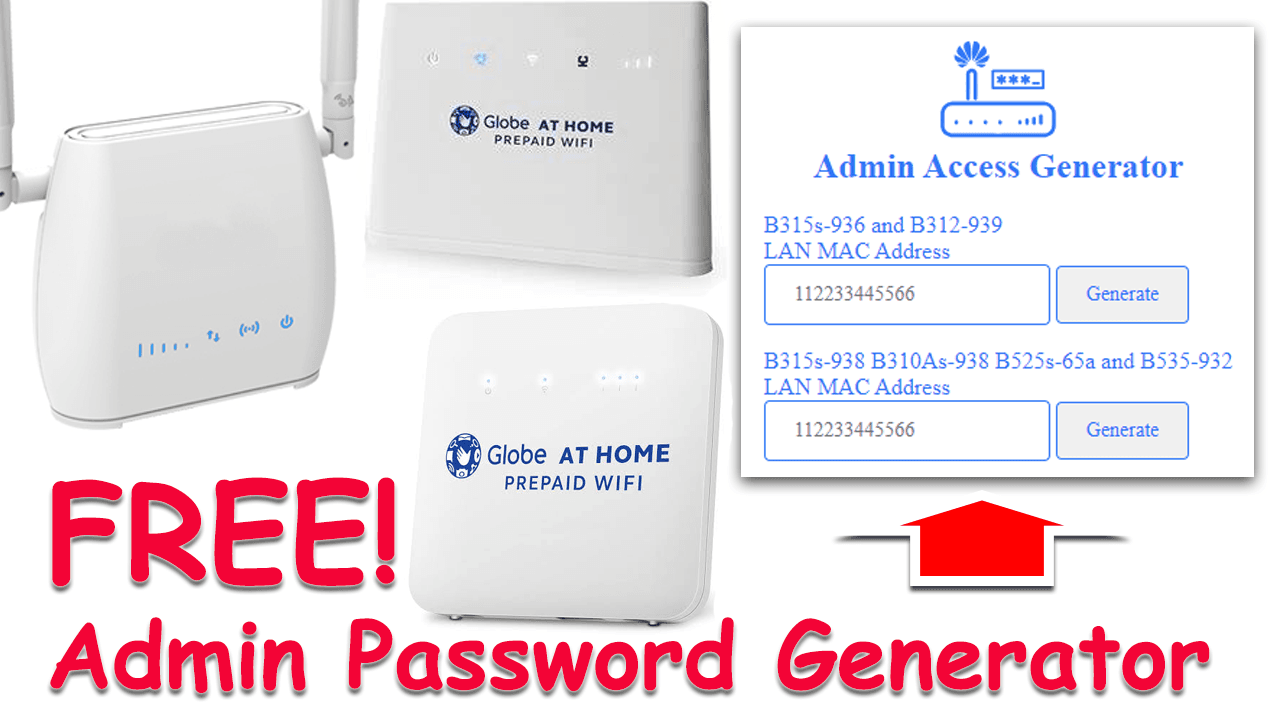
Discover a free admin password generator tailored for your Globe At Home WiFi modem. Gain full control over your network settings with ease, ensuring seamless connectivity and personalized configurations. Explore how this innovative tool empowers you to take charge of your modem's admin access, enhancing your networking experience to the fullest.
Modem
Discover a free admin password generator tailored for your Globe At Home WiFi modem. Gain full control over your network settings with ease, ensuring seamless connectivity and personalized configurations. Explore how this innovative tool empowers you to take charge of your modem's admin access, enhancing your networking experience to the fullest.
Let us discover the step by step guide of this tutorial.
1. Finding LAN MAC Address from Your Globe At Home Modem: Learn how to easily locate the LAN MAC address on your Globe At Home modem. This step is crucial for generating the exact admin password of your modem. Be sure that the modem has not yet tampered its firmware.
Login to your modem from http://192.168.254.254. You can reset your modem if you have forgotten the password. Once reset, it will return its settings to default. Then you can use the default password of the Globe At Home Modem.
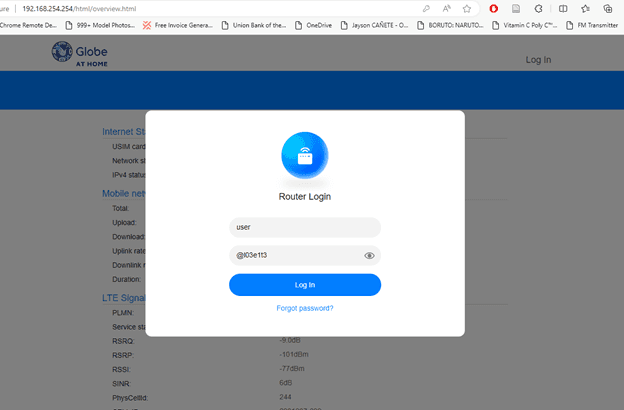
The default user login details of Globe At Home Wifi modem:
Username: user
Password: @l03e1t3
The password can be written as follows: (@ is "at" symbol, l is small L, 0 is zero, 3, e is small E, 1, t is small T, and 3). It can be read as “GlobeLTE”.
Once you are already logged-in, Go to Advance Settings - System - Device Information. Find the LAN MAC Address. This is the unique address of your modem.
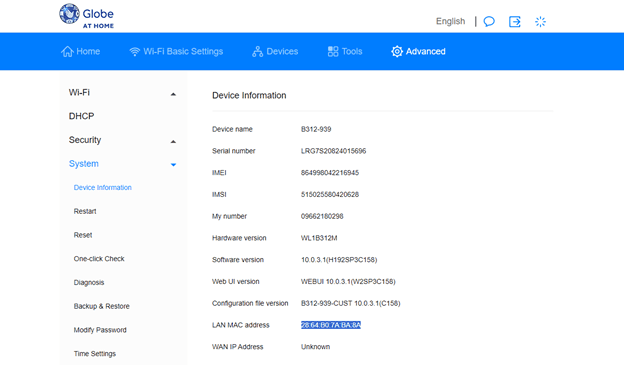
In this example, my LAN MAC Address is 28:64:B0:7A:BA:8A.
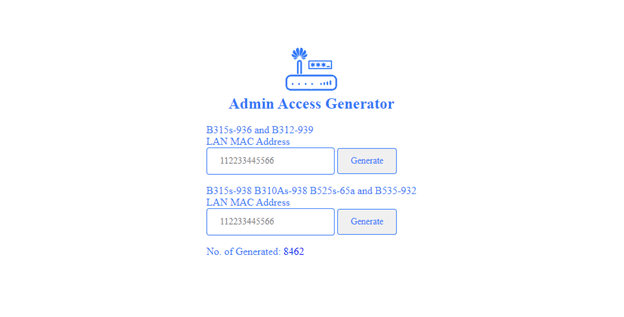
2. Generating Admin Password with LAN MAC Address: Discover an effective method to generate a secure admin password using the LAN MAC address of your modem. Visit http://jeromelaliag.me/adminaccess, a dedicated tool that simplifies the password creation process. The interface should be the same as shown in the image below.
Once you have successfully generated your admin password, it will print the output details at the bottom. These are all you need to access your modem’s admin settings.
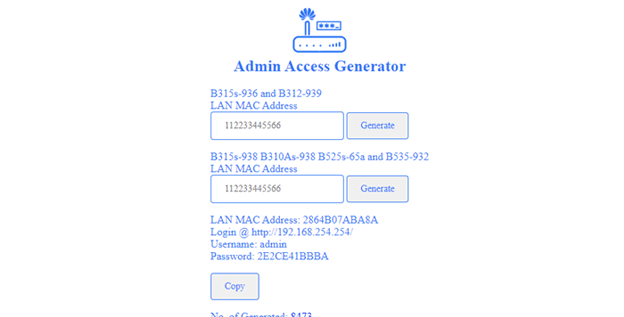
3. Logging in as Admin with New Password: Access your modem's admin settings using the freshly generated password dedicated for “admin” username. Take advantage of full control over your modem configurations for a more personalized and efficient internet experience.
Use the generated password to login, and this time the username should be “admin”.
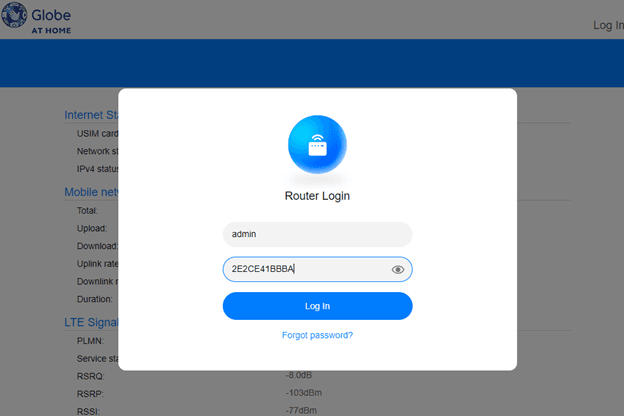
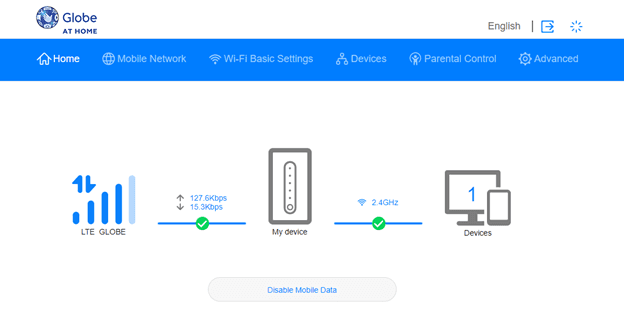
4. Admin Access vs User Access: Understanding the Difference: Learn the difference between admin access and user access on your modem. Uncover the privileges and limitations of each level of access, empowering you to make informed decisions about your modem dashboard.
From the USER access dashboard of the B312-939 modem, you can notice that the Mobile Network is not available.
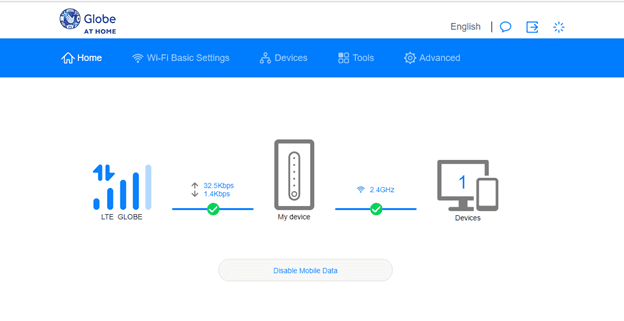
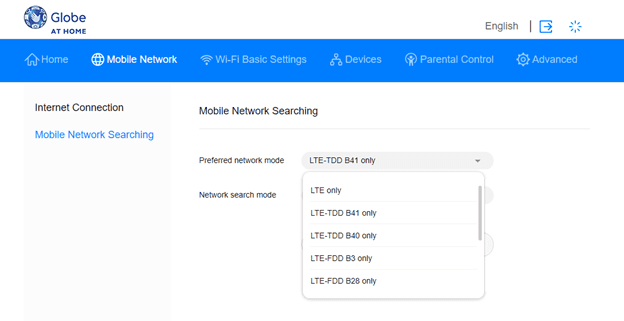
While if you are logged-in as ADMIN, the dashboard is very different as shown the image below. One of the difference is that, with admin access, the Mobile Network tab is visible from the navigation menu of the dashboard interface.
Help us grow by visiting our online store at:
Lazada shop: https://www.lazada.com.ph/shop/jamaca-corner-studio
Shopee shop: https://shopee.ph/jamacacornerstudio
You can watch the youtube video related to this blog.
Comments

Nag pm na ako sana mura lang mag pa admin acces
Hello po. We have responded to your request. Please check your email.
Hindi po gumagana ang link
na ubos na po yung slot so you may directly message nalang sa creator ng password generator. Use the same link to contact him
Paano magkaroon Ng admin pasword
nasa blog post na to yung link para makapag generate ng admin password for free, kaso na ubos na po yung slot so you may directly message nalang sa creator ng password generator. Use the same link to contact him
Pa send Po Ng baging link boss at admin generator Open line ko lang b312-939 ko
Hi po. Nag sent po kami ng message sa email nyo. Please do check your gmail inbox po. Maraming salamat!
Sana ma bigyan ng admin access birthday ko kasi ngayun 88:BF:E4:7D:B4:F6
Hello po. Nag send po kami ng message sa email nyo. Please do check your yahoo mail inbox. Thanks po.
Lod's, pa admin access naman akin please. Need help dito sa amin, hina ng signal! ito lan mac address ko lods C0:F4:E6:DE:82:41 Sana meron pa lods. Salamat po in advance
Hi po. We have sent a reply to your email. Please do check your gmail inbox po. Thank you.
Lods di gumagana . Plss sana matulungan moko .. mahina kasi wifi ko di ko magamit sa pag aaral
Hi sir. Pwede nyo po makontak deretso si sir jerome laliag. Legit po yan siya. Naubus na kasi yung slot ng free admin site na ginawa niya.